
Voting QR
Each question can have its own permanent QR code embedded directly in a slide.
Hlasuj! engages students in quizzes and polls. They join through a QR code or link on a phone, tablet or computer. You control the start and finish; results appear when voting closes.
Designed by a teacher for teachers.
The teacher starts and ends questions in the teaching controls. Students join using a QR code and see each new question automatically.
Each question can have its own permanent QR code embedded directly in a slide.
A correct answer makes this a quiz. With no correct answer, it is an anonymous poll.
After joining once, students see each new question automatically. You decide when voting starts and finishes.
When voting closes, charts appear on the projector and on each student’s device.
Correctness carries the main weight; speed adds a bonus. Rankings can cover the subject.
Teachers can try the whole process without affecting live results.
Subjects, lectures and the question bank are managed in a clear administration interface.
Hlasuj! by MiloslavHub, a neutral appearance or a custom visual identity for the installation.
A student chooses a nickname once and uses it across lectures in the same subject.
The teacher opens the permanent private projection link and the screen automatically follows the active question.
A separate link can collect opinions for days or weeks, without a countdown or blocking live teaching.
A participant in the Top N chooses whether to publish their nickname, remain anonymous or stay hidden.
How published rankings workThere are many good tools for online voting and interactive presentations. Hlasuj! by MiloslavHub focuses on simple, smooth audience participation during real teaching, with easy access and a quick return to the explanation.
Participants join using a QR code and an ordinary web browser. Standard voting requires no special app installation or student account.
After joining once, students see subsequent questions when the teacher starts them. The aim is to keep technical interruptions to lectures and training to a minimum.
Quizzes, polls, charts, points, response time and current rankings are part of one environment for participants and projection.
Run the system under your own domain, with your branding and settings suited to your teaching.
Write the question and answers. Mark a correct answer for a quiz; a poll does not need one.
The QR code is permanent. You can reuse the presentation after reordering questions.
The teacher controls the start and end. Results appear after closure; polls have no correct answer.
These screens show the deployed Hlasuj! interface. Questions, answers and nicknames are examples. Students join in their browser, answer and see the result when voting closes.
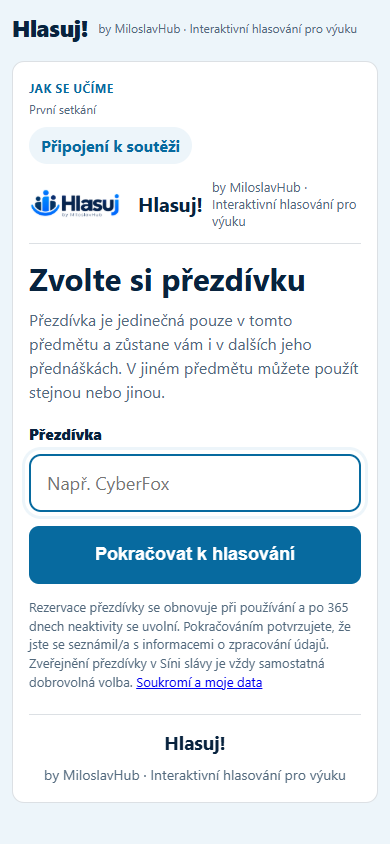
The nickname is stored in the browser. Students do not have to repeat the whole joining process for subsequent questions.
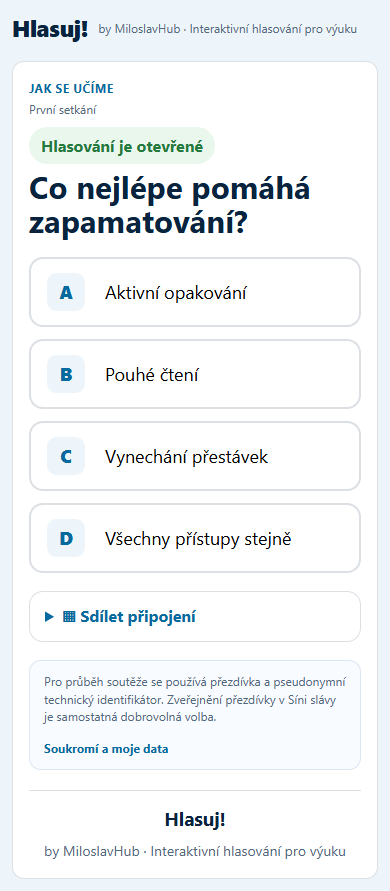
Students see the question and answers on their own device. One tap submits the answer.

When a question closes, the correct answer, time, points and chart of other votes appear.
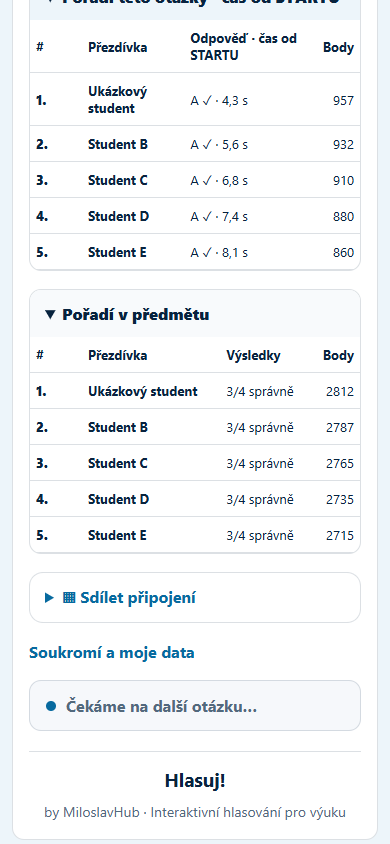
Students see their current rank and points across the subject. Nicknames are unique within that subject.
Teachers can project results in real time through a private permanent link without signing in to WordPress. The large screen shows voting progress, the correct answer and the subject ranking.
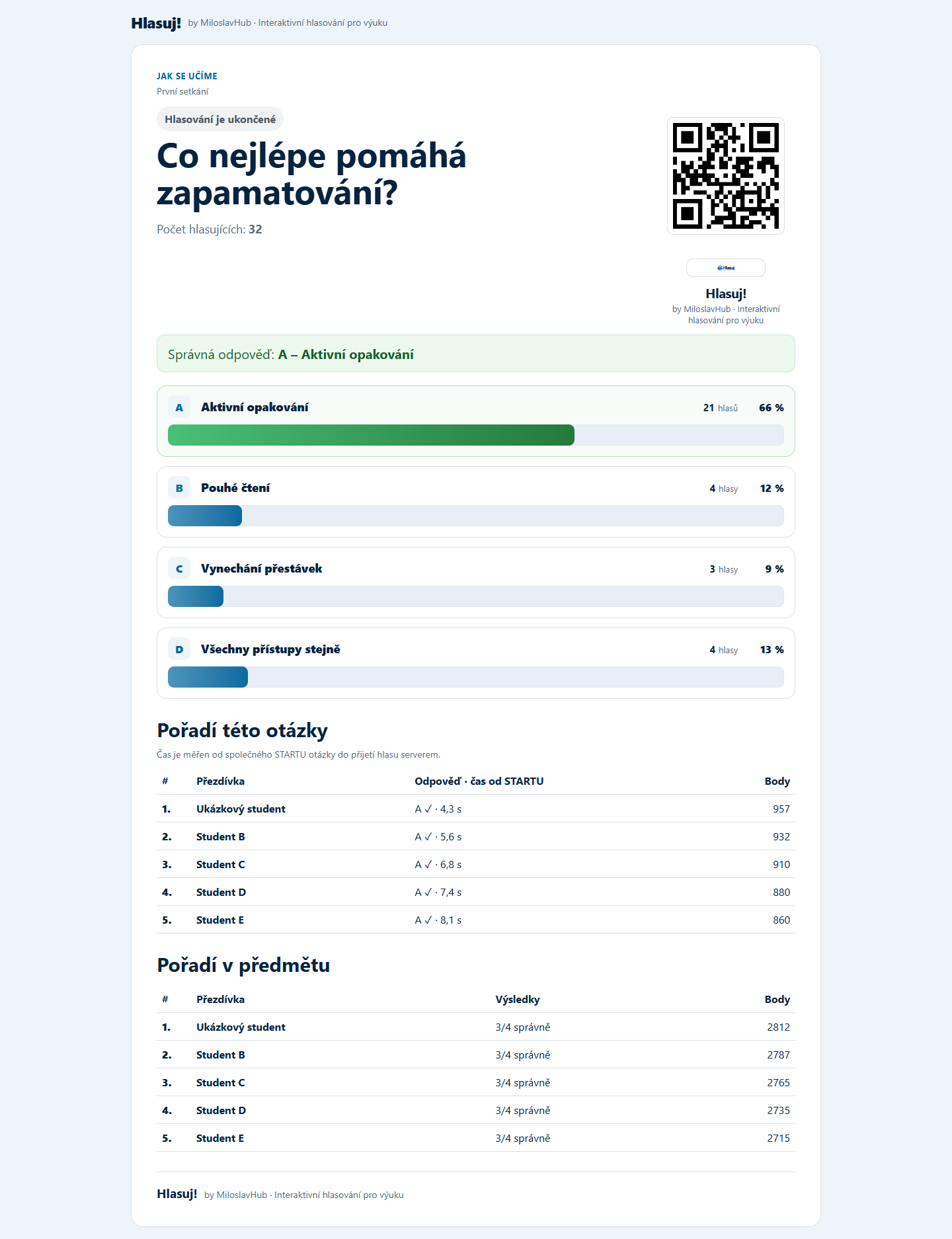
Bring lectures to life, check understanding and involve more students.
Interactive workshops, training and quick participant feedback.
Internal education, professional events, conferences and corporate training.
Anywhere you want to involve your audience instead of passive listening.
Use the same voting system with the author's branding, an institutional look, a neutral layout or your organization's own identity.
The software can run on your own web hosting. Use your domain and manage it through WordPress.